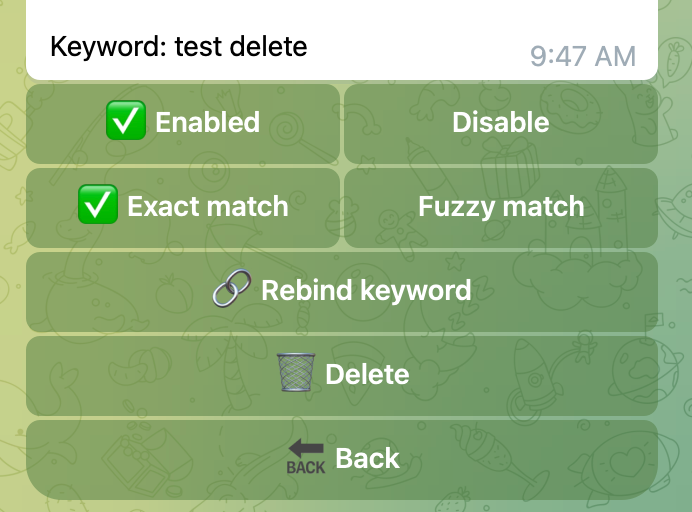
Keyword match deletion
Keyword Match Deletion helps moderate group content. When a member sends text that matches an enabled keyword rule, the bot deletes the message automatically.
Match types
Each rule can be enabled or disabled separately and can use either match type:
- Exact match: deletes the message only when the entire message matches the keyword
- Fuzzy match: deletes the message when it contains the keyword
Configure deletion rules
- Add the bot to the group and make it an administrator.
- Open
/manageand select the group. - Open Group Keyword Match Deletion.
- Add a keyword and choose exact or fuzzy matching.
- Make sure the rule is enabled, then save it.
Auto-mute repeated violations
On the same page, expand Auto-mute repeated violations. You can configure:
- Whether auto-mute is enabled
- The number of days in the counting period
- The number of deleted messages that triggers a mute
- Permanent or timed mute
- A timed mute duration in minutes, hours, or days
The counting period begins when the member's first message is successfully deleted. Later deletions during that period increase the count but do not extend the period. The count starts over when the period ends or after the member is muted successfully.
For example, with “permanently mute after 5 deletions within 3 days,” the three-day period starts on the first violation. The bot mutes the member after deleting the fifth matching message during that period.
If you change the number of counting days, an active period is extended or shortened from its original starting point. Records that already fall outside a shorter period are cleared.
Requirements and notes
- The bot needs permission to delete messages.
- Auto-mute also requires permission to restrict members.
- Only messages that the bot deletes successfully count toward the mute threshold.
- Group owners, administrators, bots, and anonymous senders are excluded from auto-mute.